Take action
$65
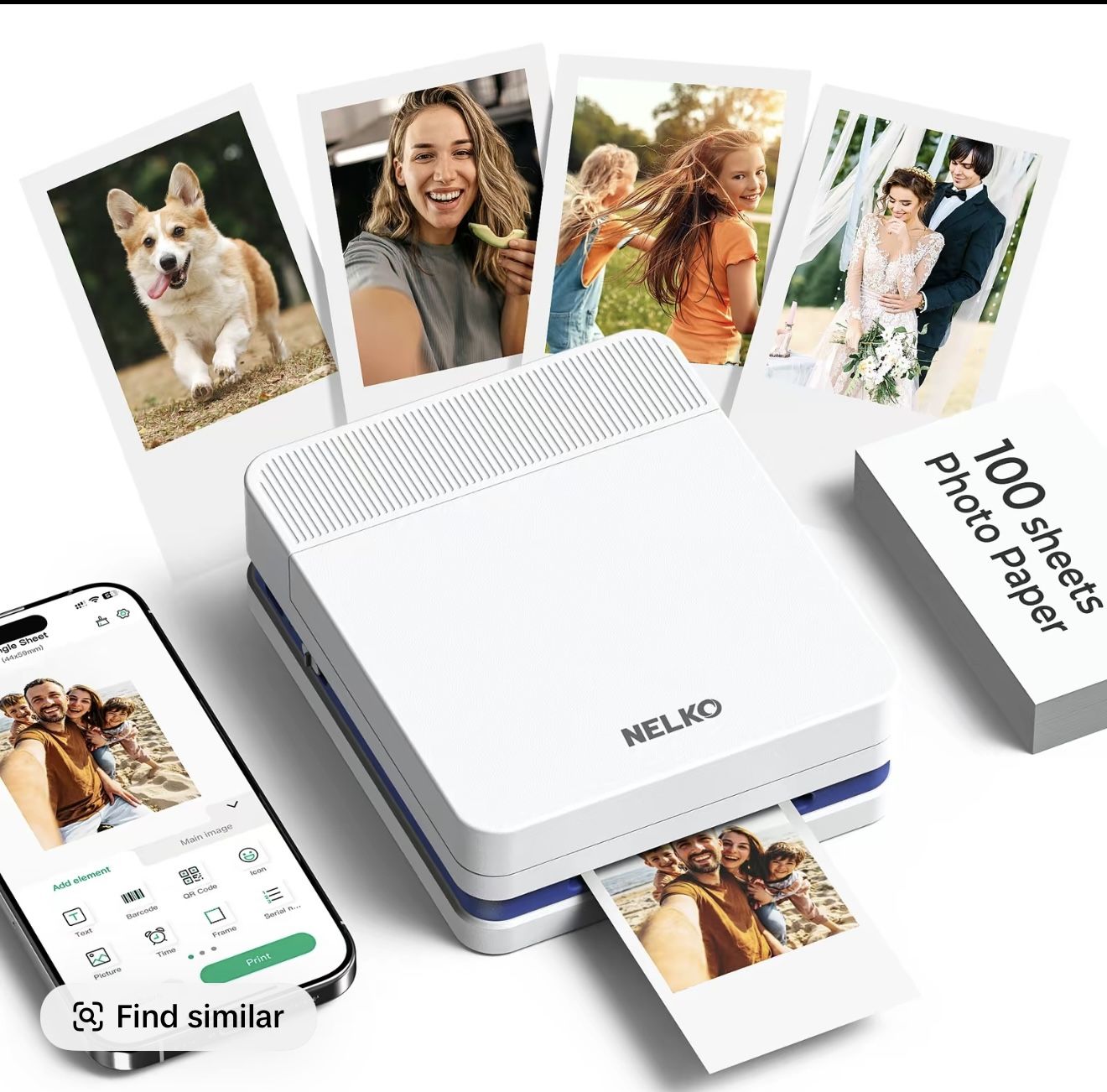
New Photo Printer, PP01 Color Mini Portable Printer
Posted 6 days ago in Fresno, CA
Listed in categories:
Get a second opinion
Chat securely on the app
Additional images
Description
Portable Photo Printer: Upgraded version PP03 photo printer utilizes ink imaging technology. This portable photo printer produces vivid, full-color prints on sticky-backed photo paper that is smudge-proof, water-resistant, and tear-resistant. The Nelko mini photo printer is pocket sized and weighs only 0.6 pound, making it easy to carry for school activities, travel, field trips, and anywhere you go. We can print color photos at any time to record beautiful moments Easy Printing via Bluetooth: The PP03 mini photo printer is compatible with iOS and Android phones and can be connected via Bluetooth. Step 1: Download the "Nelko" APP from Google Play or the App Store. Step 2: Load the paper and ensure that the smooth surface of the printing paper faces downwards. Step 3: Install the ink cartridge. Step 4: Connect Bluetooth and print within the Nelko APP. To start printing, please refer to the instructions. USB charging, but not including charging adapter
Details
Condition
New
Item location map
Map is approximate to keep seller’s location private.