Take action
$20
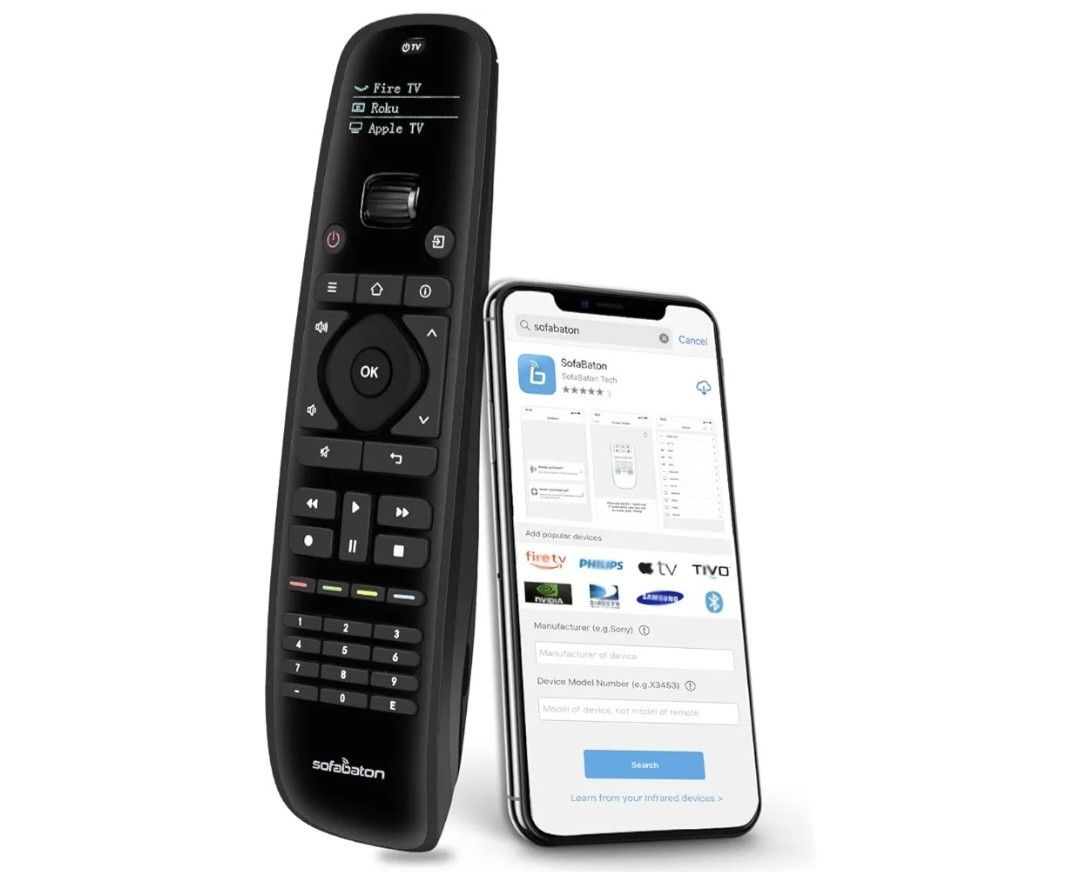
Sofabaton U1 Universal Remote with Smart APP, Control up to 15 Entertainment Devices, Universal TV Remote for LG,Samsung, TCL, Philips, Roku, Sony TV
Posted over 1 year ago in Chicago, IL
Listed in categories:

Chat securely on the app
SOLD
Additional images
Description
【Replace clutter with U1 Remote】Supports 500,000+ home entertainment devices of 6,000 brands (Control up to 15 Devices). Compatible with IR and Bluetooth devices, WiFi devices are not supported. Updates the database in real-time to match the latest devices, no need to worry about unable to pair your devices. 【Simple Setting with Sofabaton APP】Easily settings U1 remote control through apps, matching and learning other remotes to reassign remote keys to control different devices. With this stylish remote control, control the all devices of the whole house, including your TV, satellite or cable box, Ap*le TV, Ro*u, T*Vo, Blu-ray player, and more. 【One Key to Trigger Multiple Commands】You can program macro keys to combine multiple commands (up to 10) under one button to control one or more devices, it simply takes one button press to execute a series of functions (Only fit for infrared Devices). Customize the interval time for each command response, for example, turn on the TV first and then press the same button to adjust the volume after 5s. 【OLED Display and Scroll Wheel】The screen will light up when you Slide the wheel, turn dark when you put it down for 5s/10s/30s, you can set the wake-up way and adjust the screen brightness/ dormant time through the APP. When the remote control matches 15 devices, you can slide the scroll wheel to switch to the device you want to control.
Details
Condition
Used (normal wear)
Model
U1
Brand
SOFABATON
Item location map
Map is approximate to keep seller’s location private.