Take action
$100
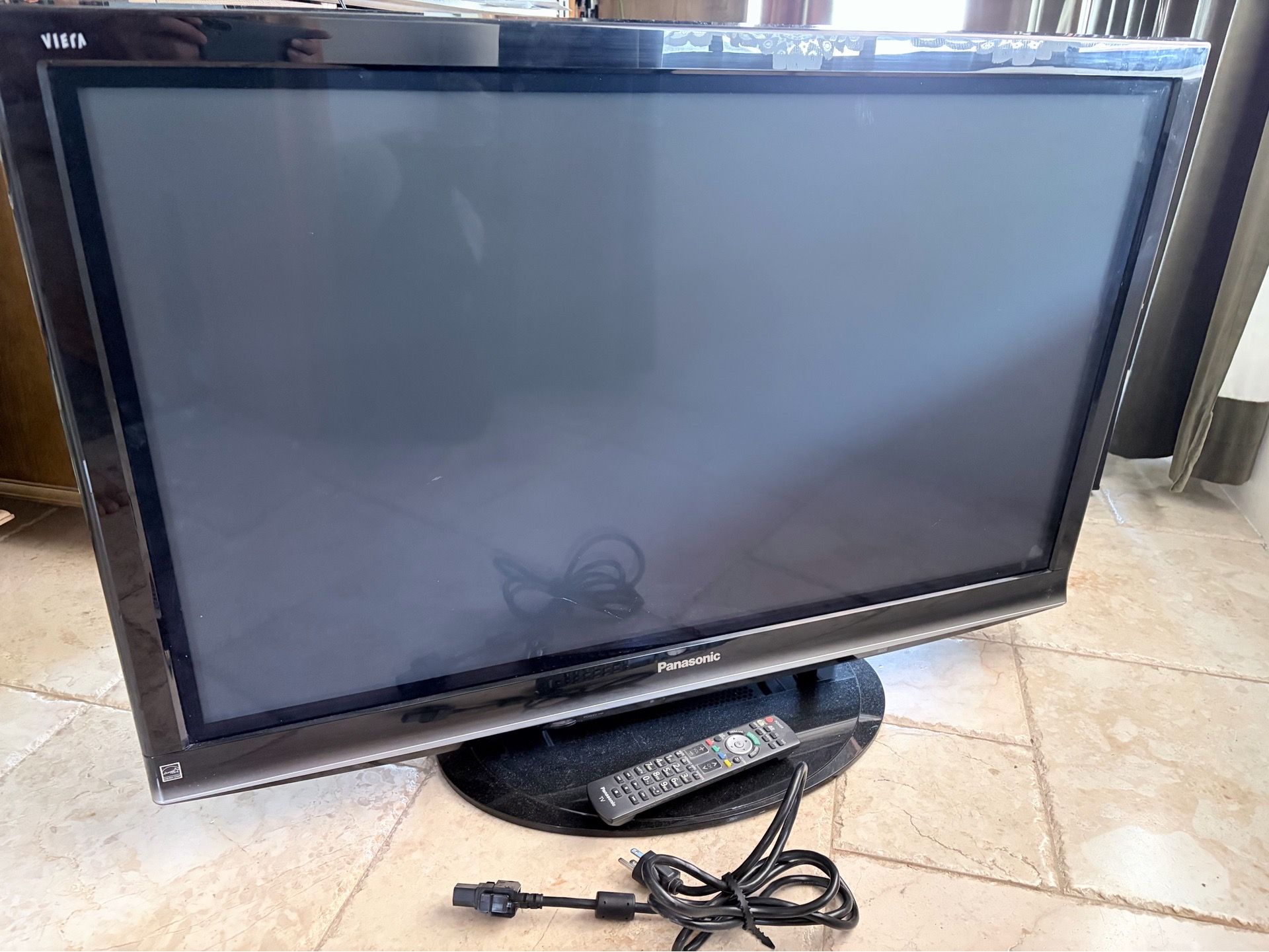
Plasma TV 42” Panasonic Viera TC-PG42G10
Posted in Hollywood, FL
Listed in categories:

Chat securely on the app

SOLD
Additional images
Description
Panasonic Viera TC-P42G10 (LOCAL PICKUP ONLY) Original Review At A Glance: Excellent blacks and shadow detail • Superb off-axis performance • Performs best in subdued lighting The G10 (2009) series falls above Panasonic’s S1 and X1 ranges of sets. At 42 inches (diagonal), the TC-P42G10 is among the smallest plasmas the company makes. It is also the only set in this Face Off that is THX certified. Most 2009 Panasonic Viera plasma sets sport the most current Neo PDP (Plasma Display Panel). This is said to offer a number of improvements, including deeper blacks (Panasonic refers to it as Infinite Black, which is a bit of a stretch), 1,080 lines of resolution with moving images, and dramatically reduced power consumption. The set will display sources up to 1080p/60p. For 1080p/24 material, a 24p Direct selection in the menu lets you choose either 48-Hz playback (2 x 24 frames per second, with no 3:2 pulldown) or 60 Hz. In the latter mode, the set converts 24-fps sources to 60p by adding 3:2 pulldown. We used the 60-Hz setting on the Panasonic for this review, as it provided significant added brightness. It needed this to match the brightness of the other sets as closely as possible. It also eliminated an image flicker that’s visible when 24-fps sources are displayed at a 48-Hz refresh rate Most of the TC-P42G10’s inputs are on the back panel, including two of the set’s three HDMI 1.3 ports and two component connections. A side panel includes an SD card slot that you can use for displaying JPEG still photos or playing back motion video recorded in either MPEG2 or AVCHD. There are no PiP or dual-picture capabilities. The set also includes Panasonic’s Viera Cast feature, which provides a direct link to specific Internet sites through an Ethernet connection to the Internet. These sites include YouTube, Picasa, Bloomberg, Weather, and Amazon’s Video on Demand. There is an Ethernet (LAN) port for this purpose, which can connect the set to the Internet either directly via a cable modem or other Internet link or through a home network. We tested this feature for the larger TC-P46G10 we reviewed in the July 2009 issue of Home Theater. That article is available online. The Panasonic offers five preset picture modes. All of them (including THX) are individually user adjustable. I used the THX mode, tweaked as needed, throughout this review. You can set up and assign different picture modes for each input. You can also use the same mode for different inputs. However, in that case, the settings will be global; each input must have the same settings. The Color Temperature control offers five settings. The THX mode produced reasonably good results in its Warm2 setting on a wide range of program material. But calibration produced a further improvement. However, there are no user-accessible color temperature calibration controls; they are only available in a hidden service menu. Of the modes that offer at least a shot at an accurate image (THX, Custom, and Standard), THX mode produced the best gamma. Gamma is the relationship between the input signal’s strength and the displayed brightness. The Panasonic has no gamma control, but its gamma in THX mode measured just under 2.5. (The optimum values range from 2.2 to 2.5. Within this range, experts differ on the best choice.) The Panasonic’s Color Management control isn’t a real CMS. It is said to enhance green and blue, but it’s simply an on/off option with no control over individual colors. I left it off for the tests and reviewing. An Advanced menu includes additional controls. I left most of these in their default settings. The Light setting for Black Level reproduced above white and below black. Size2 on the HD Size control produced the lowest overscan, but as with several other adjustments, it is grayed out and not accessible for some sources. When playing back either a 4:3 source played with a 4:3 aspect ratio setting or a source that needs to be played back in a zoom setting to fill the full width of the screen, the Panasonic can produce a geometrically correct image only when the input is 480i or 480p. 720p, 1080i, and 1080p inputs that have been upconverted from SD sources prior to arriving at the set were squeezed or stretched, and no aspect ratio choice would put them right. (This is not a problem with sources that require a Full setting, such as native HD material and enhanced-for-widescreen DVDs.) Features Type: Plasma Screen Size (diagonal, inches): 42 Native Resolution: 1920 by 1080 HD Tuner: ATSC, QAM (cable in the clear) Rated Half Life: 100,000 hours Wall Mount or Stand Included?: Stand Dimensions (W x H x D, inches: 40.6 x 26.1 x 3.8 (without stand); 40.6 x 27.8 x 13.2 (with stand) Weight (pounds): 55.2 (without stand); 59.6 (with stand) Price: $1,300 Connections Inputs: Video: HDMI 1.3 (3), PC RGB (1), component video (2), S-video (1, shared), composite video (2, 1 shared), antenna/cable (1) Audio: Stereo analog (4) Outputs: Audio: Stereo analog, d
Details
Condition
Used (normal wear)
Max Resolution
1080p (FHD)
Display Technology
Plasma
Screen Size
40-49 in
Additional details
Model
Viera TC-PG42G10
Brand
Panasonic
Item location map
Map is approximate to keep seller’s location private.
Related searches
- PS5
- iPhone
- Nintendo Switch
- Laptop
- Xbox Series X
- Nintendo
- PS4
- Xbox Series S
- Apple Watch
- AirPods
- Nintendo Switch 2
- iPhone 13
- iPhone 15
- iPhone 16
- iPhone 17
- JBL speaker
- iPhone 14
- PS3
- PSP
- Bluetooth speaker
- MacBook Pro
- PS2
- Bose
- Digital camera
- iPhone 12
- Samsung Galaxy
- Tablet
- Headphones
- Sony camera
- Game Boy
- iPhone 11
- Xbox One
- Canon
- iPad Pro
- GameCube
- Drone
- CD player
- Beats
- Nintendo 64
- Meta Quest 3
- Car audio
- Nintendo 3DS
- MacBook Air
- Bose speakers
- Klipsch
- Apple Watch Ultra
- Computer monitor
- Grinch
- Gaming computer
- Desktop computer
- Earbuds
- GoPro
- Subwoofers
- Computer parts
- Super Nintendo
- DJ equipment
- Film camera
- DVD player
- Beats headphones
- 55 inch TV