Take action
$15
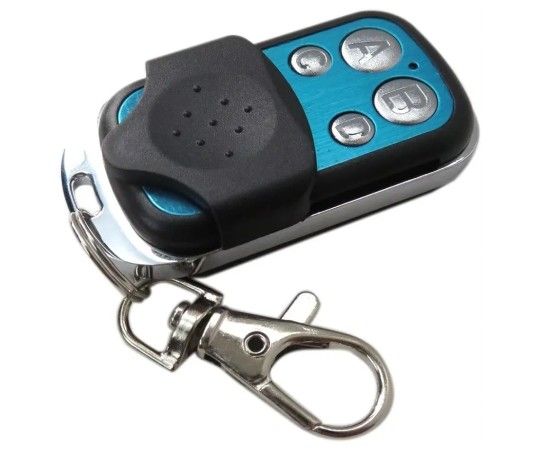
Universal 4 Buttons Remote Control Code Grabber for Gate Channel Keychain Garage for Gate Door Wireless Electric Car. See Pics For instructions. Open
Posted 11 months ago in Daytona Beach, FL
Listed in categories:
Get a second opinion
Chat securely on the app

Additional images
Description
Universal 4 Buttons Remote Control Code Grabber for Gate Channel Keychain Garage for Gate Door Wireless Electric Car. See Pics For instructions. Open Box (1 remote only). Easy to use, the 4 channel remote control allows you to control your gadgets, car, home and garage.Scope of application: It can copy all kinds of wireless fixed code remote controllers and learning code remote controllers. Such as electric telescopic door remote control, barrier remote control, alarm remote control, etc. ☏Compatible for all Craftsman openers since 1993 having a learn button ☏How to use: 1.Clear code Resetting before copying: press two keys on copying remote control at the same time until LED flicks, indicating the resetting is successful ☏https://offerup.com/redirect/?o=Mi5NdXR1YWw=-Duplicating Copying: Place the product correctly before copying. Place the original remote control and copy remote control on the desk. Use the right hand to press the copying remote control until LED is on – off, indicating it enters to copying status. Use left hand to press the key of original remote control. The fast clicking of LED of remote control indicates success in copying. The copying method is the same as for several keys. ☏Package included:1 x Remote Control Specifications: Type: remote control Rated voltage: 12 (V) Rated current: 10 (mA) Installation method: autonomous Wireless transmitting distance: 150 (m) Color:black silver For LiftMaster Garage Door Opener: 1. Press the learning button on your on the For LiftMaster garage door opener. This will turn a solid yellow. 2. Hold A & B on the remote control you are programming until it starts flashing. 3. Click A or whatever button you want to program until the For LiftMaster learning light turns off. Mine was red each time I clicked, and there were no other colors as mentioned in other comments or the instructions. 4. Hold A & B on the remote again to finish programming the remote. 5. Click the button you programmed on the remote, and the door should open and close.
Details
Condition
Open Box (never used)
Type
Garage Door Opener Remote
Item location map
Map is approximate to keep seller’s location private.