Take action
$600
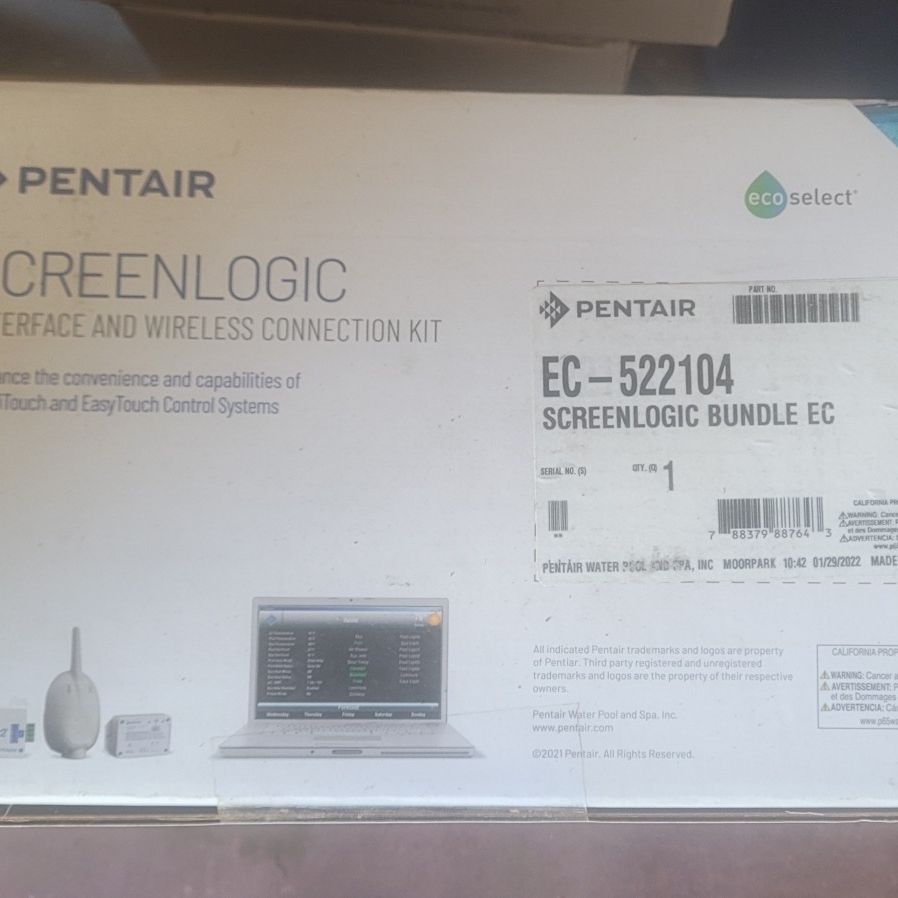
Pentair Screenlogic 522104
Posted in Hesperia, CA
Listed in categories:

Chat securely on the app

Additional images
Description
NEW! SCREENLOGIC® INTERFACE & WIRELESS CONNECTION KIT The ScreenLogic® Interface Wireless Connection interface consists of an indoor and outdoor wireless 902-928 MHz wireless transceiver. Note: The wireless transceivers ship from the factory as a matched pair. The ID numbers on each transceiver must be the same number to function correctly. If needed, the transceivers are replaced as a matched pair. The indoor and outdoor transceivers provide a wireless connection between the ScreenLogic Interface Protocol adapter and the IntelliTouch® or EasyTouch® Control System Load Center located at the equipment pad. This wireless connection eliminates the existing hard wire connection from inside your home to the equipment pad. ScreenLogic Interface features: Use iPad, iPhone, iPod touch Mobile Digital Device or Android Device to control pool functions from anywhere. Control all key functions of your pool or spa - temperatures, jets, lighting, and water features. Remotely manage from a PC or a Mac Computer using the ScreenLogic Interface PC or Mac app, available in all ScreenLogic Interface Kits and as a download from the Pentair Aquatic Systems website. Easily change, track and monitor history of pH and ORP levels when using the new IntelliChem® Chemical Control System with IntelliTouch® or EasyTouch® Automation Systems. ScreenLogic Interface apps allow full color lighting control for both IntelliBrite® LED Pool/Spa/ Landscape Lights and MagicStream® Laminars. Wireless connection kit utilizes powerful 2.4 Ghz technology for wireless connections up to a half mile line of sight. Kit Contents One ScreenLogic Interface indoor wireless transceiver with AC power adapter and 1 ft. long cable with attached plugs One ScreenLogic Interface outdoor wireless transceiver with 10 ft. cable, enclosure and mounting hardware ScreenLogic Interface Wireless Connection Installation Guide ScreenLogic Interface Protocol Adapter Features and details Resources Warranty REVIEWS Q&A Powered by TurnTo Review More Purchases | My Posts 5.0 / 5.0 13 Reviews 5 Stars 4 Stars 3 Stars 2 Stars 1 Star 13 0 0 0 0 Sort by Most Helpful Sort by Most Recent Review Sort Highest to Lowest Sort Lowest to Highest Rated 5 out of 5 Easy to install, and really simple to operate Let me start by saying I had an existing pentair remote system installed for my pool already. When the wireless remote (like the one in the picture) stopped working, and I chose to move to a mobile app based solution instead. This is what I chose. (I found it a little missleading that the picture shows the wireless remote - it isn't part of what you are puchasing with this kit, but it isn't required either). For me, installation was a breeze. The old remote had a wireless kit installed on the pool control panel. I had to install the updated kit which took about 3 minutes. You mount the provided wireless system board in the provided antenna casing, and plug into your control panel. Since I had a previous antenna, it was very easy to remove and install in the same position. You then head inside the house and install two small boxes to your primary internet connection. For me, that was my homes wifi router. The two boxes connect together with a provided wire, then connect to the wifi router with a cat5 or cat6 cable, and plug into the wall for power. Note, your wifi signal has to be strong enough to reach the antenna you just mounted at the pool control panel for this work - otherwise you'll have to try and run a hard wire from your house to the pool - I didn't have to. Once the wireless kit was connected to the router, the system was powered on. It automatically connected to the pool control panel, downloaded the panels configuration, and was ready to go. Next, you need to download the app for your phone/tablet. The first time you run the application, you will need to logon using a number printed on the side of the box you plugged to your home wifi router. From there, it will connect, and the interface is reasonably self explanatory. It took me a while to realize if you turn on a feature or function that normally has a delay associated with it, the app doesn't really give you feedback - but once the delay completes the feature or equipment will engage. The PC based application does show what features are waiting on a programmed delay, just not the mobile app (at least yet). You can connect from your home network, or while away from home with a quick toggle on the logon screen - mine worked flawlessly from the start. All in all, very simple to install, and a great upgrade from the original pentair wireless controller as now I can start the spa heating before we get home and when we arrive, it's heated. August 22, 2016 Jeff M Purchased over 8 years ago Was this review helpful? Yes (23) No (0) Flag as Inappropriate Rated 5 out of 5 Automate Everything! The install was smooth and easy. Can look a little bit intimidating at first, b
Details
Condition
New
Type
Pool equipment & parts
Brand
Pentair
Item location map
Map is approximate to keep seller’s location private.