Take action
$20
printing calculator
Last updated 28 days ago in Las Vegas, NV
Listed in categories:

Chat securely on the app

Additional images
Description
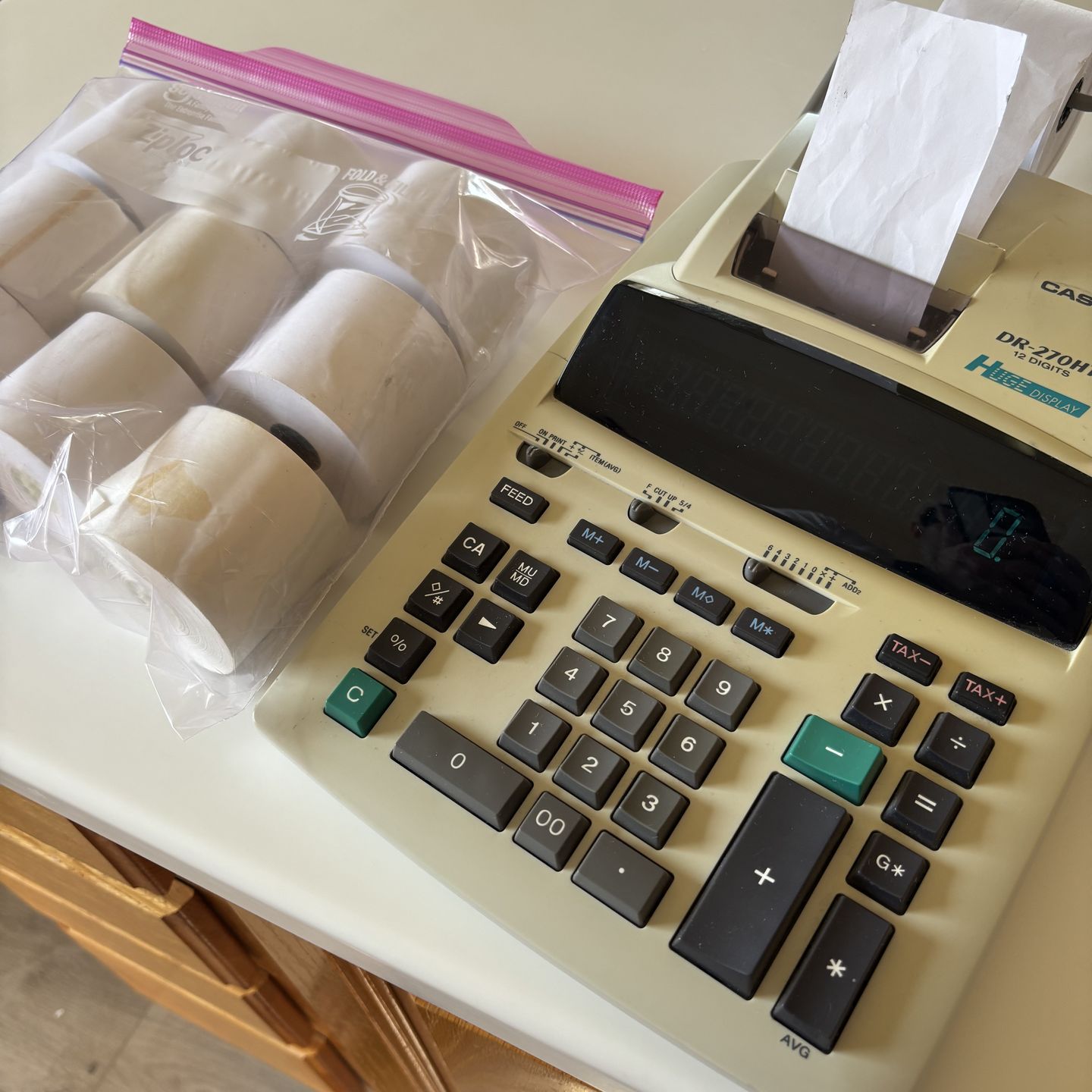
Casio DR-270HT 12-digit desktop printing calculator. included 10 paper rolls Technology: Features a heavy-duty, two-color impact printer for receipts. Key Features: Includes a large LCD display, independent 4-key memory, and an item counter. Functions: Capable of tax calculations, cost/sell/margin calculations, and mark-up/mark-down functions. Power: Operates on AC power. Key Controls and Functions The switches and buttons above the main number pad control how calculations are processed and displayed: Decimal and Rounding Selectors: F・CUT・UP・5/4 (Rounding): "F" is for floating decimals; "CUT" truncates values; "UP" rounds up; "5/4" rounds to the nearest digit. 6 4 3 2 1 0 ADD2 (Decimals): Sets the number of decimal places. ADD2 mode automatically assumes two decimal places for addition and subtraction (e.g., typing "100" becomes "1.00"). Operating Modes: OFF / ON / PRINT / ITEM: Toggles the power and printing functions. In ITEM mode, the calculator tracks the number of items entered in a list. Specialized Keys: TAX+ / TAX-: For automatic tax calculations. MU / MD: Mark-up and mark-down functions for simplified cost and profit calculations. G:* Displays or prints the grand total stored in memory. FEED: Advances the paper roll manually. Maintenance Tips Power: This model is AC-powered and typically does not require batteries for main operation, though some versions use a CR2032 backup battery to retain memory settings when unplugged. Errors: If the display shows an "E" (error) or "P--Error" (paper jam), check for stuck keys or paper obstructions. Pressing the RESET button on the back or the CA key can often clear these. Supplies: It uses standard 2-1/4" wide paper rolls and a Type RB-02-A (black/red) ink ribbon.
Details
Condition
Used (normal wear)
Item location map
Map is approximate to keep seller’s location private.