Take action
$28
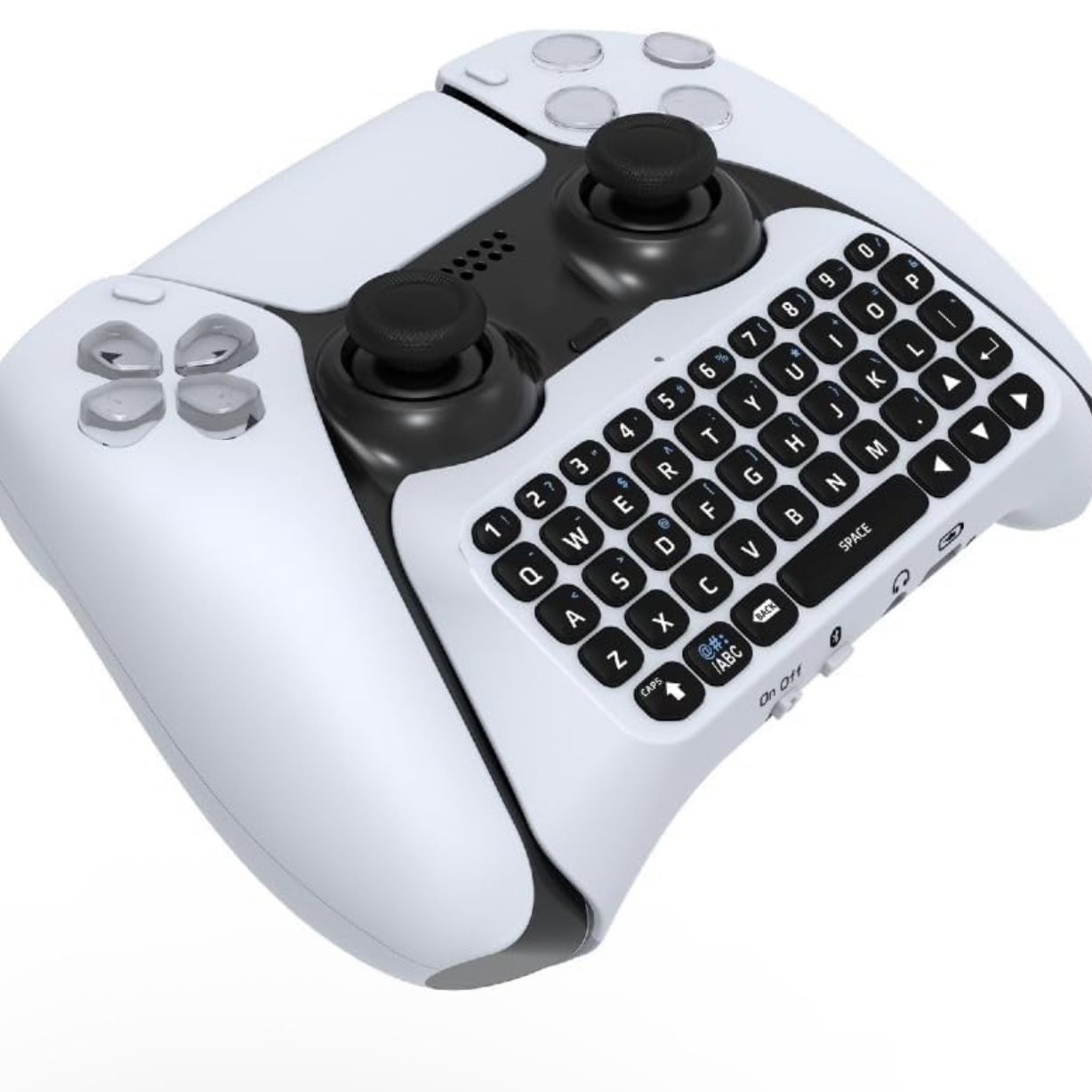
PS 5 Controller Keyboard
Posted in Lake Elsinore, CA
Listed in categories:

Chat securely on the app

Additional images
Description
The bluetooth controller keyboard for PS5/PS5 Pro Console is ergonomically designed to enhance the gaming experience, full game keyboard perfect fit for PS5/PlayStation 5 Pro controller.(Note: The controller and keyboard can’t charger at the same time; only the keyboard is charged) 【Voice chat board】Complete for PS5/PS5 Pro QWERTY keyboard and voice chat board for messaging and chatting, convenient for you and your teammates to dominate and enjoy game better.(Before using, please make sure that the keyboard is powered and matched successfully, otherwise the keyboard will not work.) 【Built in speaker】The built-in speaker allows users to listen to all chat audio directly from the keyboard without using a headset, you can also disable this function for PS5/PS5 Pro settings menu and use an external headset. 【Easy to install& carry】Easily snaps into place with no additional software to install in order to run. Small size, light weight, easy to carry. The indicator light show red when charging, and when fully charged the light out. NOTE: After entering the passkey, you need to press the ENTER key to confirm. The detailed operation can be seen in the video. 【Pair automatically】Enter the passkey on the wireless keyboard and then confirm your entry within 30 seconds, the indicator light is green when the connection is successful. After the connection is successful, you can use the keyboard again to pair automatically. If the pairing fails, you can restart the keyboard, or delete the pairing information to pair again.
Details
Condition
New
Item location map
Map is approximate to keep seller’s location private.
Related searches
- PS5
- iPhone
- Nintendo Switch
- Laptop
- Xbox Series X
- Nintendo
- PS4
- Xbox Series S
- Apple Watch
- AirPods
- Nintendo Switch 2
- iPhone 13
- iPhone 15
- iPhone 16
- iPhone 17
- JBL speaker
- iPhone 14
- PS3
- PSP
- Bluetooth speaker
- MacBook Pro
- PS2
- Bose
- Digital camera
- iPhone 12
- Samsung Galaxy
- Tablet
- Headphones
- Sony camera
- Game Boy
- iPhone 11
- Xbox One
- Canon
- iPad Pro
- GameCube
- Drone
- CD player
- Beats
- Nintendo 64
- Meta Quest 3
- Car audio
- Nintendo 3DS
- MacBook Air
- Bose speakers
- Klipsch
- Apple Watch Ultra
- Computer monitor
- Grinch
- Gaming computer
- Desktop computer
- Earbuds
- GoPro
- Subwoofers
- Computer parts
- Super Nintendo
- DJ equipment
- Film camera
- DVD player
- Beats headphones
- 55 inch TV