Take action
$30
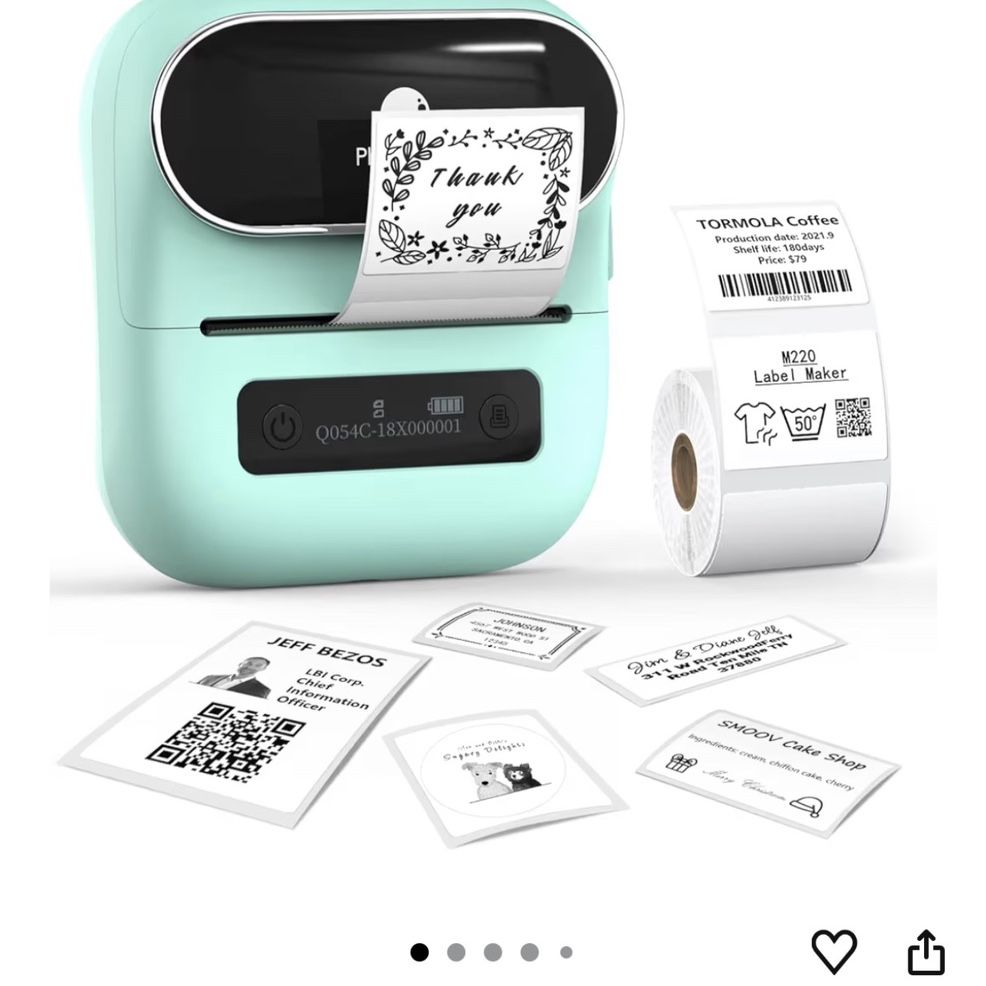
Phomemo M220 Label Maker, New Flagship 3.14 Inch Bluetooth Thermal Label Printer
Posted in Upland, CA
Listed in categories:

Chat securely on the app

Additional images
Description
Wireless & Inkless Label Printer - Equip with Bluetooth 4.2, this thermal label printer can easily connect with the smartphone via Bluetooth function. Direct thermal printing technology, get rid of any ink and ribbon, Convenient and clean. Android and ios mobile phone,tablet by bluetooth connection, but also supports USB connection for MAC and Windows 7,8,10,11. (Attention: The label maker only support print 0.78'' - 3.14'' width labels, can't print 4 x 6 shipping labels) Phomemo's New Flagship - Phomemo M220 Label Printer adopts Roma print head from Japan, new upgraded 20-80mm print width, supports printing wider and more types of labels; such as barcode, jars, price, clothes, QR, icon, also can print address labels, ingredient labels, shipping labels. Save you a lot of time handwriting labels and improve efficiency. (label maker not support 4 "x 6" label). High Compatibility - Phomemo M220 bluetooth label maker not only supports iOS, and Android mobile phone by Bluetooth connection, but also supports USB connection for Mac OS and Windows 7.8.10. 11(WARNING: For your better experience, please be sure to watch the software installation tutorial on the page). Long Battery Life - Phomemo M220 wireless label printer upgrade 2200 mAh battery provides up to 36 rolls of continuous printing, newly added auto-sleep mode, which can reduce power consumption by 25% and extend the use time by 2-3 hours. Bluetooth Label Makers with Powerful App - Independent R&D "Print Master" APP brings smooth and convenient printing experience to you. Create your label in the APP with its text, pictures, QR codes, barcode, form, and hundreds of icons, which can be used at a small business, home organization, mail, kitchen, etc. Phone and Tablet Start Printing - Step 1: Download the App 'Print Master'. Step 2: Turn on the M220 label maker and your phone's or tablet's Bluetooth. Step 3: Click the 'Printer' icon in the App to search for the M220 portable label printer, connect it via Bluetooth in the App, select the label size, and edit the content to start printing Laptop/PC Starts Printing - Step 1: Please check your laptop/PC's operating system (OS) and download and install the correct M220 driver and the 'Labelife' app from the Phomemo website. Step 2: Use the USB data cable to connect the M220 label maker to your computer. Step 3: Select the label size, edit the content, and choose M220 from the printer list
Details
Condition
Used (normal wear)
Brand
phomemo Bluetooth label printer
Item location map
Map is approximate to keep seller’s location private.