Take action
$150
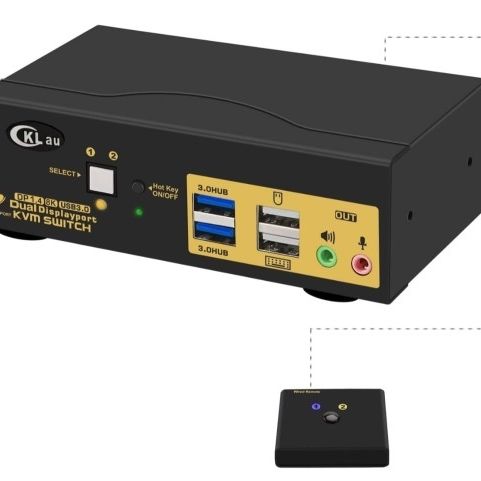
CKLau 2 Port USB 3.0 Dual Monitor KVM Switch. New$150 Pick Up
Posted in Long Beach, CA
Listed in categories:

Chat securely on the app

Additional images
Description
Displayport 1.4 KVM Switch: Allows 2 PCs to share a keyboard and mouse set, 2 monitors, audio, microphone and 1 USB 3.0 peripheral device. (Tips: 1. This KVM switch required your computer with 2 or multiple video outputs. 2. This KVM switch does not have EDID emulation. 3. Please use the Displayport 1.4 cables that come with the KVM switch to connect your computers and monitors to avoid make the monitors flash 2. 2-Port USB 3.0 KVM Switch: Supported resolution 7680x4320@30Hz, 5120x2880@50/60Hz, 3840x2160@60/120/144Hz, 3840x1620@60/120/144Hz, 3440x16000@60/1 20/1 44Hz, 3440x1440@60 /120/144Hz, 3840x1080@60/120/144/165/240Hz, 3200x1800@60/120/144/165/240Hz. @60/1 20/144/165/240Hz, 2048x1536@60/120/144/165/240Hz, 2048x1280@60/120/144/165/240Hz. 65/240Hz, 1920x1200@60/120/144/165/240Hz, 1920x1080@60/120/144/165/240Hz, etc. 3. 2 Monitor KVM Switch Display Port: Support Wired/Wireless/Unify/Game/Mechanical/Bluetooth/Apple Keyboard and Mouse…
Details
Condition
New
Item location map
Map is approximate to keep seller’s location private.