Take action
$275
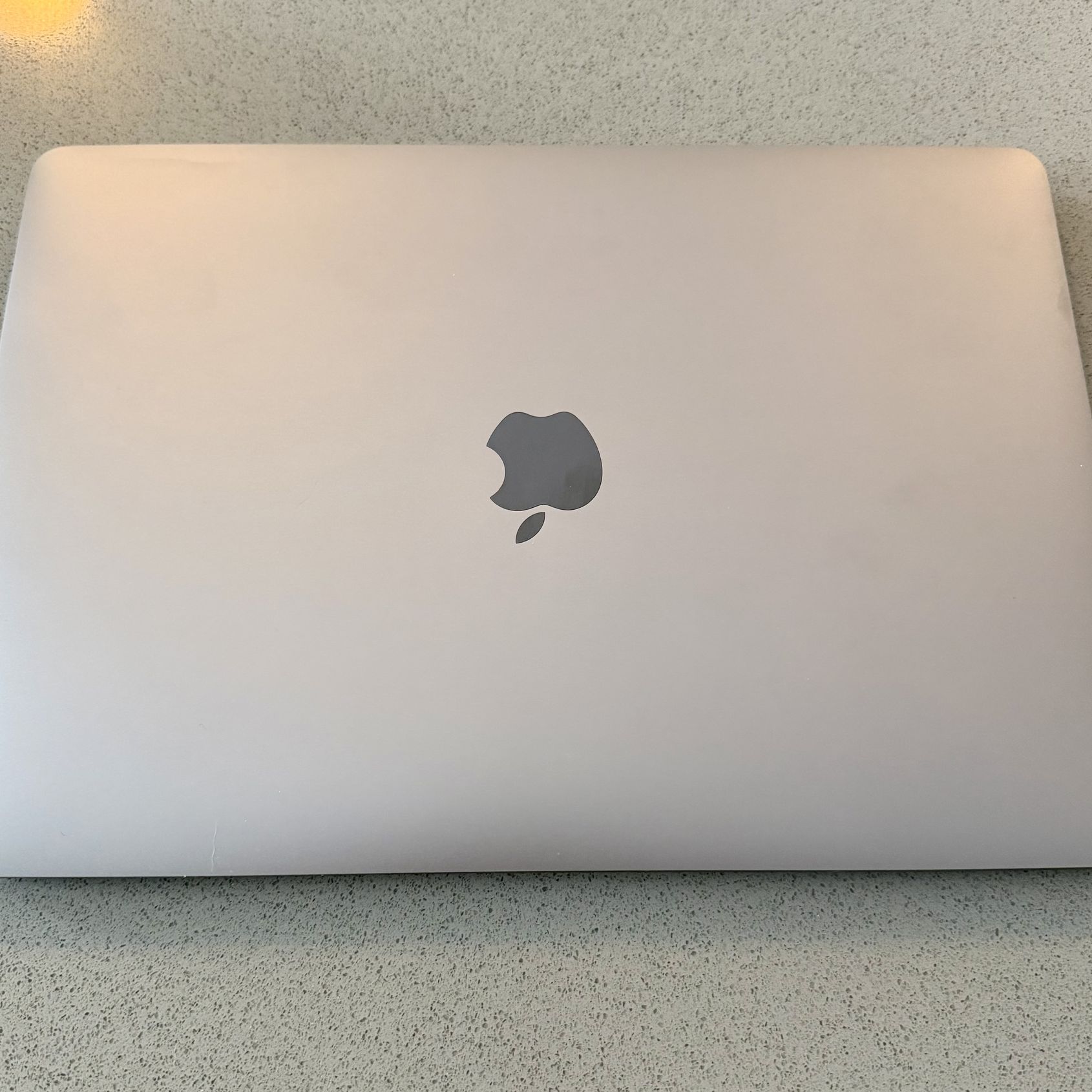
MacBook Pro (13-inch, 2020, Two Thunderbolt 3 ports)
Last updated 17 days ago in Denver, CO
Listed in categories:

Chat securely on the app

Additional images
Description
I recently upgraded to a laptop with a larger screen, so I’m selling this one. It has a few minor cosmetic blemishes from normal use. The battery life is reduced compared to when it was new, but it still works fine when plugged in or for shorter periods on battery. There was previously an issue with the cursor jumping, but that appears to have been resolved and it has been functioning normally since. Overall, it’s in good working condition. Display Retina display 13.3-inch (diagonal) LED-backlit display with IPS technology; 2560-by-1600 native resolution at 227 pixels per inch with support for millions of colors Supported scaled resolutions: 1680 by 1050 1440 by (contact info removed) by 640 500 nits brightness Wide color (P3) True Tone technology Processor 1.4GHz quad-core 8th‑generation Intel Core i5, Turbo Boost up to 3.9GHz, with 128MB of eDRAM Configurable to 1.7GHz quad-core 8th‑generation Intel Core i7, Turbo Boost up to 4.5GHz, with 128MB of eDRAM Storage1 256GB SSD Configurable to 512GB, 1TB, or 2TB SSD 512GB SSD Configurable to 1TB or 2TB SSD Memory 8GB of 2133MHz LPDDR3 onboard memory Configurable to 16GB of memory Graphics Intel Iris Plus Graphics 645 Charging and Expansion Two Thunderbolt 3 (USB-C) ports with support for: Charging DisplayPort Thunderbolt (up to 40Gb/s) USB 3.1 Gen 2 (up to 10Gb/s) Keyboard and Trackpad Backlit Magic Keyboard with: 65 (U.S.) or 66 (ISO) keys including 4 arrow keys in an inverted‑T arrangement Touch Bar Touch ID sensor Ambient light sensor Force Touch trackpad for precise cursor control and pressure-sensing capabilities; enables Force clicks, accelerators, pressure-sensitive drawing, and Multi-Touch gestures Wireless Wi-Fi 802.11ac Wi-Fi wireless networking; IEEE 802.11a/b/g/n compatible Bluetooth Bluetooth 5.0 wireless technology Camera 720p FaceTime HD camera Video Support Simultaneously supports full native resolution on the built-in display at millions of colors and: One external 5K display with 5120-by-2880 resolution at 60Hz at over a billion colors, or Up to two external 4K displays with 4096-by-2304 resolution at 60Hz at millions of colors Thunderbolt 3 digital video output Native DisplayPort output over USB‑C VGA, HDMI, DVI, and Thunderbolt 2 output supported using adapters (sold separately) Audio Stereo speakers with high dynamic range Wide stereo sound Support for Dolby Atmos playback Three-mic array with directional beamforming 3.5 mm headphone jack Battery and Power2 Up to 10 hours wireless web Up to 10 hours Apple TV app movie playback Up to 30 days of standby time Built-in 58.2-watt-hour lithium-polymer battery 61W USB-C Power Adapter Operating Requirements Line voltage: 100V to 240V AC Frequency: 50Hz to 60Hz Operating temperature: 50° to 95° F (10° to 35° C) Storage temperature: -13° to 113° F (-25° to 45° C) Relative humidity: 0% to 90% noncondensing Operating altitude: tested up to 10,000 feet Maximum storage altitude: 15,000 feet Maximum shipping altitude: 35,000 feet Size and Weight Height: 0.61 inch (1.56 cm) Width: 11.97 inches (30.41 cm) Depth: 8.36 inches (21.24 cm) Weight: 3.1 pounds (1.4 kg)3 Operating System macOS macOS is the operating system that powers everything you do on a Mac. macOS Catalina brings dedicated apps for music, TV, and podcasts. Smart updates to the apps you use most. And Sidecar, which lets you use iPad as a second display. So you can take everything you do above and beyond. Learn more about latest operating system Accessibility Accessibility features help people with disabilities get the most out of their new MacBook Pro. With built-in support for vision, hearing, mobility, and learning, you can create and do amazing things. Learn more about Accessibility Features include: Voice Control VoiceOver Zoom Increase Contrast Reduce Motion Siri and Dictation Switch Control Closed Captions Text to Speech Built-in Apps4 Photos iMovie GarageBand Pages Numbers Keynote Siri Safari Mail FaceTime Messages Maps News Stocks Home Voice Memos Notes Calendar Contacts Reminders Photo Booth Preview Music Podcasts TV Books App Store Time Machine Find My QuickTime Player
Details
Condition
Used (normal wear)
Item location map
Map is approximate to keep seller’s location private.
Related searches
- PS5
- iPhone
- Nintendo switch
- Laptop
- Xbox Series X
- Nintendo
- Ps4
- Xbox Series S
- Apple watch
- AirPods
- iPhone 13
- Nintendo Switch 2
- iPhone 15
- iPhone 16
- iPhone 17
- JBL Speaker
- iPhone 14
- Ps3
- PSP
- Bluetooth speaker
- Bose
- MacBook Pro
- Ps2
- Digital camera
- Samsung galaxy
- iPhone 12
- Headphones
- Tablet
- iPhone 11
- Sony camera
- Xbox one
- Canon
- iPad Pro
- Drone
- Cd player
- Beats
- Meta Quest 3
- Car audio
- Nintendo 3ds
- MacBook Air
- Bose speakers
- Apple Watch Ultra
- Grinch
- Klipsch
- Computer monitor
- Gopro
- Earbuds
- Desktop computer
- Subwoofers
- Super nintendo
- Computer parts
- Dj equipment
- Gaming computer
- Film camera
- Dvd player
- 55 inch tv
- Beats headphones
- Marantz
- Dvd
- Curved monitor